

OldTweetDeck Experience the Classic Twitter Dashboard Again
OldTweetDeck brings back the familiar multi-column layout, real-time monitoring, and distraction-free workflow that power users loved before major interface changes.
500K+
Active Users
4.9★
User Rating
100%
Free to Use
- About OldTweetDeck
What Is OldTweetDeck?
OldTweetDeck is a web-based dashboard designed to restore the classic multi-column experience originally associated with TweetDeck. It provides users with a familiar, streamlined interface that emphasizes clarity, speed, and real-time engagement. Built for professionals who rely on structured monitoring, OldTweetDeck brings back the layout and workflow that made social media management efficient and distraction-free.
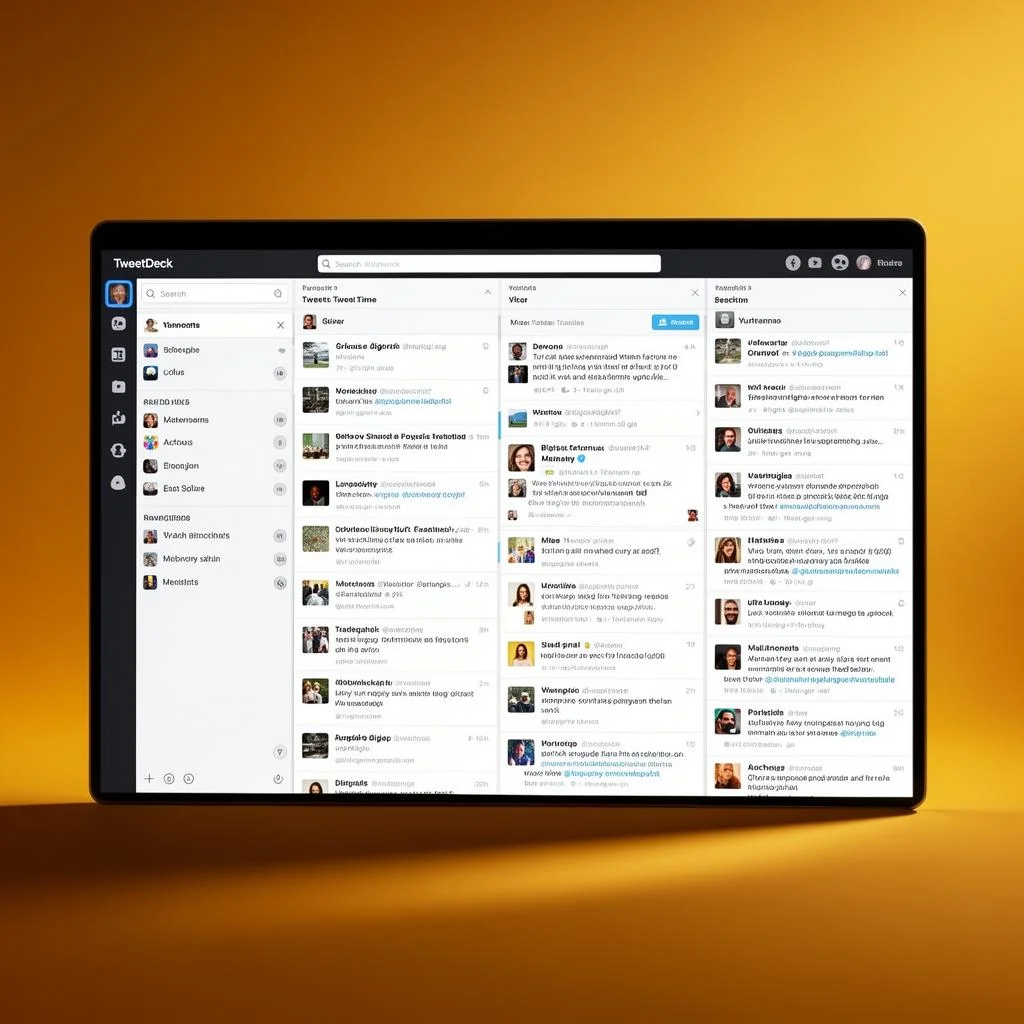
Unlike the modern redesign of Twitter (now known as X), OldTweetDeck focuses on functionality over visual experimentation. It allows users to organize their feed into customizable columns such as Home, Mentions, Messages, Lists, and Search results — all visible on a single screen. This format enables faster decision-making, better engagement tracking, and improved content management.
OldTweetDeck is especially valuable for digital marketers, journalists, brand managers, and agencies who need real-time updates and multi-account access. By combining speed, structure, and customization, it delivers a productivity-focused environment tailored for serious social media users who prefer the classic dashboard experience.

Why Users Love OldTweetDeck
When Twitter transitioned TweetDeck into a paid-only product under the X Premium umbrella, millions of users lost access to a tool they relied on daily. OldTweetDeck was created to fill that gap, restoring the multi-column layout, real-time streaming, and powerful filtering capabilities that made TweetDeck indispensable.
Whether you are a social media manager handling multiple brand accounts, a journalist monitoring breaking news, or a power user who simply prefers the classic experience, OldTweetDeck provides the functionality you need — completely free of charge.
- No subscription or payment required
- Works with existing Twitter/X accounts
- Lightweight browser extension
- Regular updates and community support
500K+
Active Users Worldwide
50M+
Tweets Managed Monthly
99.9%
Uptime Reliability
4.9/5
Average User Rating
- Key Features
Key Features of OldTweetDeck
Discover the powerful features that make OldTweetDeck the preferred choice for Twitter power users, social media managers, and digital marketers worldwide.
Multi-Column Dashboard
OldTweetDeck brings back the classic multi-column structure that allows users to monitor multiple feeds in one organized workspace. Instead of switching tabs repeatedly, you can track timelines, mentions, messages, lists, and hashtags side by side for maximum efficiency.
Key Benefits:
- Monitor multiple feeds simultaneously
- Reduce tab switching and distractions
- Improve campaign tracking visibility
- Stay organized during high-traffic events
- Enhance workflow productivity
Real-Time Tweet Streaming
Stay ahead of conversations with instant tweet updates that appear the moment they are published. OldTweetDeck ensures you never miss important mentions, breaking news, or trending discussions.
Key Benefits:
- Instant content updates
- Faster response to mentions
- Perfect for live event coverage
- Real-time brand monitoring
- No manual refreshing required
Advanced Search & Smart Filters
Track specific keywords, hashtags, competitors, and industry conversations with precision. OldTweetDeck’s advanced filtering system removes noise so you can focus only on relevant, high-value content.
Key Benefits:
- Highly targeted keyword tracking
- Filter out irrelevant tweets
- Monitor competitor activity easily
- Improve marketing insights
- Increase tracking accuracy
Multi-Account Management
Manage multiple Twitter accounts from a single dashboard without logging in and out repeatedly. Ideal for agencies, brands, and professionals handling several profiles.
Key Benefits:
- Centralized account management
- Save time switching accounts
- Reduce posting errors
- Ideal for teams and agencies
- Simplify daily social operations
Customizable Layout Control
OldTweetDeck allows you to rearrange columns, adjust widths, and personalize your dashboard according to your workflow. Create a setup that matches your priorities and improves efficiency.
Key Benefits:
- Personalized dashboard experience
- Flexible column positioning
- Prioritize important feeds
- Better visual organization
- Increased productivity focus
Classic Productivity-Focused Interface
The streamlined and distraction-free classic interface helps professionals focus on engagement and monitoring. It eliminates unnecessary clutter introduced in modern redesigns.
Key Benefits:
- Clean and minimal layout
- Faster navigation speed
- Lower learning curve
- Optimized for power users
- Boost overall efficiency
- Getting Started
How OldTweetDeck Works
OldTweetDeck recreates the classic multi-column dashboard experience, allowing users to monitor, manage, and engage on Twitter efficiently from a single screen. It is designed for speed, clarity, and real-time interaction, making it ideal for professionals who rely on structured workflows.
Secure Twitter Account Connection
OldTweetDeck works by connecting directly to your Twitter (X) account through secure authentication. Once logged in, the platform syncs your timeline, mentions, messages, lists, and saved searches instantly. This integration ensures you can manage your account without switching tabs or refreshing pages repeatedly.
Multi-Column Dashboard Setup
After logging in, you can customize your workspace by adding columns based on your needs.
You can create columns for:
Home timeline
Notifications
Direct Messages
Specific hashtags
Custom keyword searches
Twitter Lists
Each column operates independently, giving you full control over how information is displayed and prioritized.
Real-Time Tweet Streaming
OldTweetDeck automatically updates content in real time. As new tweets, mentions, or messages are posted, they appear instantly in their respective columns. This eliminates the need for manual refreshing and allows users to react quickly to conversations, trends, or breaking news.
Advanced Search and Filtering
The platform enables precise tracking through advanced search queries. You can filter tweets by keywords, phrases, hashtags, user accounts, or engagement type.
This feature is particularly valuable for:
Monitoring brand mentions
Tracking campaign performance
Observing competitor activity
Following industry discussions
Multi-Account Management
OldTweetDeck allows seamless switching between multiple Twitter accounts. Social media managers and agencies can manage different profiles from the same dashboard without logging out. This centralized control improves efficiency and reduces workflow interruptions.
Customization for Productivity
Users can adjust column width, order, and content visibility to match their working style. Whether you prefer a compact layout or wider monitoring panels, OldTweetDeck adapts to your preferences. The interface focuses on clarity and functionality, minimizing distractions while maximizing information visibility.
Engagement and Publishing Tools
Beyond monitoring, OldTweetDeck allows users to compose, schedule, reply, retweet, and engage directly from the dashboard.
With everything accessible in one interface, users can:
Respond to mentions instantly
Schedule tweets strategically
Participate in trending conversations
Manage direct messages efficiently
- Why Choose
Why Professionals Prefer OldTweetDeck
Thousands of users trust OldTweetDeck for their daily Twitter management. Here’s why.
Privacy First
OldTweetDeck never collects your personal data. Your tweets, DMs, and account credentials are protected with end-to-end encryption.
Lightning Fast
Experience zero-lag real-time streaming with optimized WebSocket connections that deliver tweets instantly to your columns.
Community Driven
Built by passionate developers who loved the original TweetDeck and are committed to keeping the classic experience alive.
Cross-Platform
Works seamlessly across Windows, macOS, and Linux with support for all major browsers and a dedicated desktop application.
100% Free Forever
No premium tiers, no paywalls, no hidden fees. OldTweetDeck is and will always remain completely free for everyone.
Regular Updates
Frequent updates ensure compatibility with the latest Twitter API changes while continuously adding new features and improvements.
- Benefits
Benefits of Using OldTweetDeck
OldTweetDeck elevates your Twitter workflow with a powerful, professional-grade dashboard that maximizes efficiency and simplifies social media management.
- Monitor multiple conversations at once without constantly switching tabs or windows
- Save valuable time through streamlined tweet scheduling and organized content queues
- Track brand mentions, competitor activity, and trending discussions in real time
- Manage multiple Twitter accounts seamlessly from a single, unified interface
- Use advanced search tools with Boolean operators and engagement-based filters for precise monitoring
- Personalize your workspace with an intuitive drag-and-drop column layout tailored to your workflow
- Comparison
OldTweetDeck vs New TweetDeck
See why thousands of users prefer the classic OldTweetDeck experience over the new paid version.
| Feature | OldTweetDeck | New TweetDeck |
|---|---|---|
| Multi-Column Layout | ✓ | ✕ |
| Free Access | ✓ | ✕ |
| Unlimited Accounts | ✓ | ✕ |
| Real-Time Streaming | ✓ | ✓ |
| Advanced Search Filters | ✓ | ✕ |
| Custom Column Arrangement | ✓ | ✕ |
| Tweet Scheduling | ✓ | ✓ |
| No Subscription Required | ✓ | ✕ |
- Use Cases
Use Cases of OldTweetDeck
OldTweetDeck is built for users who rely on speed, visibility, and structured monitoring. Its multi-column layout makes it ideal for handling multiple streams of information at once without losing focus. Below are the most practical and high-impact use cases.
Social Media Management for Brands
Marketing teams and brand managers can monitor:
Mentions and tagged posts
Branded hashtags
Customer feedback
Direct messages
Campaign performance
With dedicated columns for each stream, teams can respond instantly, protect brand reputation, and maintain consistent engagement.
Digital Marketing Campaign Tracking
OldTweetDeck is highly effective for running and analyzing campaigns. Marketers can:
Track campaign-specific hashtags
Monitor competitor activity
Follow influencer collaborations
Measure audience reactions in real time
The live updating interface helps professionals react quickly and optimize campaigns while they are still active.
News Monitoring for Journalists
Journalists and media professionals benefit from:
Real-time updates from verified accounts
Breaking news keyword tracking
Monitoring government agencies and official sources
Curated Twitter Lists for specific industries
The column-based structure ensures nothing important gets buried in a single scrolling feed.
Managing Multiple Twitter Accounts
Agencies and freelancers often manage several accounts. OldTweetDeck allows users to:
Switch between profiles instantly
Post and schedule tweets
Monitor separate notification streams
Avoid account mix-ups
This centralized control improves efficiency and reduces errors.
Community Management
For community managers, fast response times are critical. OldTweetDeck enables:
Instant replies to mentions
Tracking of community hashtags
Monitoring discussion threads
Identifying active supporters and contributors
The organized layout helps build stronger, more engaged communities.
Market & Trend Analysis
Crypto traders, stock analysts, and industry researchers can:
Track trending topics
Follow financial influencers
Monitor specific tickers or keywords
Watch competitor announcements
Real-time columns make it easier to spot trends before they peak.
Influencer & Personal Brand Growth
Content creators and influencers can use OldTweetDeck to:
Track engagement metrics
Monitor follower conversations
Engage with niche communities
Stay updated on trending discussions
It provides a strategic advantage by making audience interaction more structured and manageable.
Customer Support Operations
Companies offering support via Twitter can:
Create a dedicated support column
Filter urgent messages
Track complaint-related keywords
Respond quickly to service issues
This helps maintain high customer satisfaction and strengthens brand trust.
- Screenshots
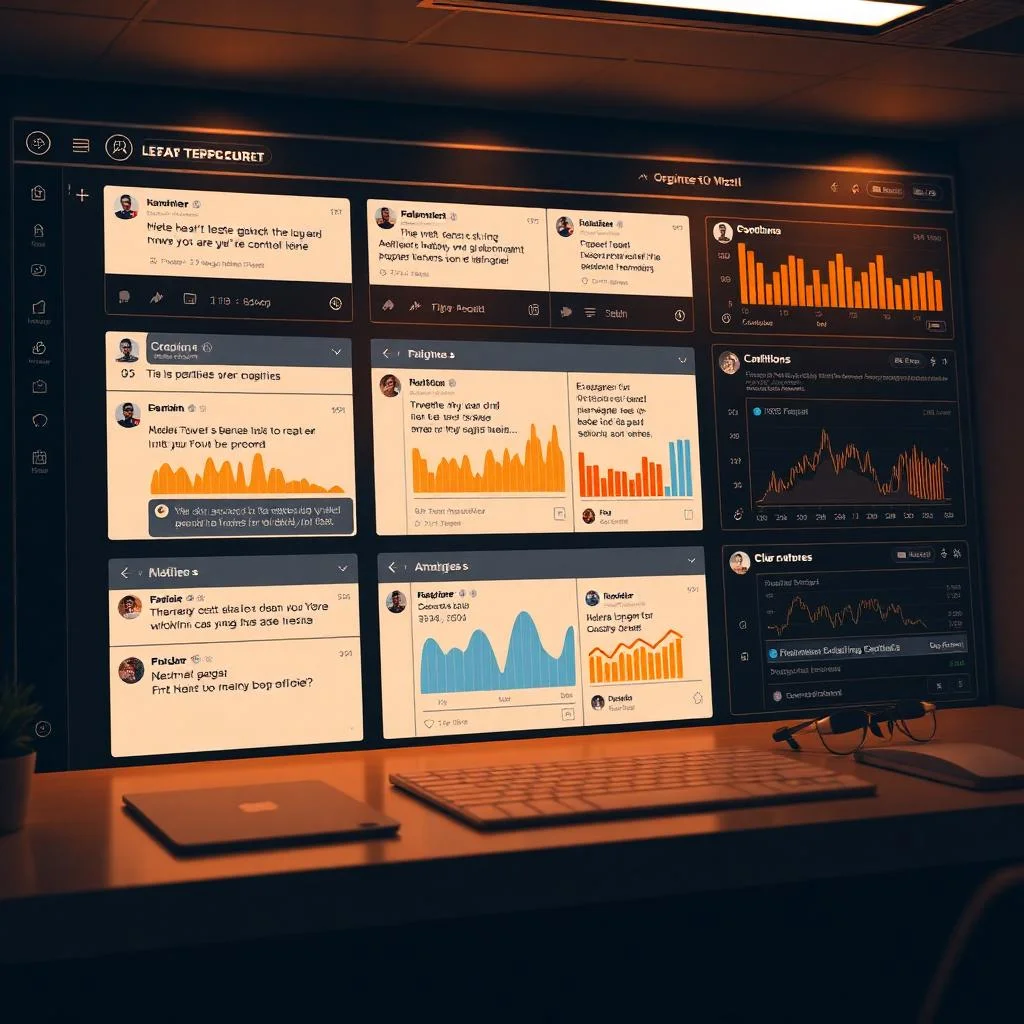
See OldTweetDeck in Action
Take a closer look at the OldTweetDeck interface and discover how the multi-column layout transforms your Twitter experience.

- Security
Your Privacy & Security Matter
OldTweetDeck is built with security and privacy as top priorities. Here’s how we protect your data.
OAuth Authentication
OldTweetDeck uses Twitter's official OAuth protocol, meaning your password is never shared with or stored by the extension.
No Data Collection
We do not collect, store, or sell any user data. Your tweets, messages, and account information remain completely private.
Open Source Transparency
The OldTweetDeck codebase is publicly available for review. Any developer can verify that no malicious code exists within the extension.
No Third-Party Servers
All data flows directly between your browser and Twitter's servers. OldTweetDeck does not route traffic through intermediary servers.
- Pro Tips
OldTweetDeck Tips & Best Practices
Maximize your productivity with these expert tips for getting the most out of your OldTweetDeck experience.
Organize Columns by Priority
Place your most important columns — mentions, direct messages, and key searches — on the left side of your dashboard. Less critical columns like trending topics can go on the right for quick glances.
Use Keyboard Shortcuts
OldTweetDeck supports keyboard shortcuts for faster navigation. Press 'N' to compose a new tweet, 'Enter' to send, and use arrow keys to navigate between columns quickly.
Create Dedicated Search Columns
Set up search columns for your brand name, industry keywords, or competitor mentions. This provides a real-time monitoring dashboard for any topic relevant to your work.
Filter by Engagement
Use minimum engagement filters in search columns to surface only high-performing tweets. This helps you identify trending content and influential discussions in your niche.
Schedule Tweets Strategically
Use OldTweetDeck's scheduling feature to queue tweets during peak engagement hours. Analyze your audience's activity patterns and schedule content accordingly.
Leverage List Columns
Create Twitter lists for different categories — industry leaders, competitors, clients — and add them as dedicated columns. This keeps your main timeline clean while maintaining visibility on important accounts.
- Testimonials
What Users Say About OldTweetDeck
Hear from real users who rely on OldTweetDeck for their daily Twitter management needs.
“OldTweetDeck saved my workflow when Twitter removed the classic interface. The multi-column layout is exactly what I need to manage 12 client accounts efficiently.”
Sarah Mitchell
Social Media Manager
“I tried every alternative after TweetDeck went paid. OldTweetDeck is the only one that truly replicates the original experience. It’s fast, reliable, and completely free.”
James Rodriguez
Digital Marketing Consultant
“The scheduling feature in OldTweetDeck is a game-changer. I can plan my entire week’s content in one session and the analytics help me understand what resonates with my audience.”
Emily Chen
Content Creator
- FAQ
Frequently Asked Questions
Find answers to the most common questions about OldTweetDeck and how it can enhance your Twitter experience.
What is OldTweetDeck?
OldTweetDeck is a version of the classic TweetDeck interface that restores the original multi-column dashboard layout for better real-time monitoring and account management.
How is OldTweetDeck different from the new TweetDeck?
OldTweetDeck focuses on the traditional column-based experience, offering a familiar interface and workflow preferred by many long-time users.
Is OldTweetDeck free to use?
Availability depends on the platform or method being used. Some access methods may be free, while others may require specific permissions.
Do I need to install any software to use OldTweetDeck?
In most cases, OldTweetDeck runs in a web browser, so no additional installation is required.
Can I use OldTweetDeck on mobile devices?
OldTweetDeck is primarily optimized for desktop usage, where the multi-column layout performs best.
Is OldTweetDeck safe to use?
Safety depends on how you access it. Always ensure you are using trusted sources and secure login methods.
Does OldTweetDeck support multiple Twitter accounts?
Yes, users can manage multiple accounts from a single dashboard for easier switching and monitoring.
Can I customize columns in OldTweetDeck?
Yes, columns can typically be added, removed, resized, or rearranged based on your workflow preferences.
Does OldTweetDeck update in real time?
Yes, it provides live updates so you can monitor tweets, mentions, and trends without refreshing the page.
Who should use OldTweetDeck?
It is ideal for marketers, journalists, agencies, traders, community managers, and power users who rely on real-time social media monitoring.
Can I schedule tweets using OldTweetDeck?
Depending on the version or access method, tweet scheduling features may be available.
Does OldTweetDeck support advanced search filters?
Yes, users can create custom search columns with keywords, hashtags, and specific filters.
Can I track hashtags and trends?
Yes, you can create dedicated columns to monitor hashtags, trending topics, and specific conversations.
Is there a limit to the number of columns I can create?
Limits may depend on system performance and browser capabilities, but multiple columns can generally be added.
Can I manage Twitter Lists in OldTweetDeck?
Yes, Twitter Lists can be added as separate columns for organized monitoring.
Does OldTweetDeck support notifications in separate columns?
Yes, notifications, mentions, and messages can be displayed in dedicated columns.
Will OldTweetDeck affect my Twitter account settings?
No, it only changes the dashboard interface and does not modify your account settings directly.
Is OldTweetDeck suitable for agencies?
Yes, agencies managing multiple clients can benefit from its structured multi-account and multi-column setup.
Can I monitor competitors using OldTweetDeck?
Yes, you can create search columns to track competitor mentions, brand names, and campaign activity.
What makes OldTweetDeck productive for professionals?
Its organized multi-column design, real-time updates, and centralized control make it highly efficient for fast-paced social media environments.